FusionForge - v0.4 is Live! (Part 4)
Well, folks, it's been a week. A week of waking up, hitting the gym (gotta keep the carpal tunnel at bay), engaging in some light international gaming diplomacy with French friends, and then diving headfirst into the FusionForge code vortex for a solid 10-12 hours. Rinse, repeat. My dreams have mostly been about rogue pixels and rebellious tweens.
But what did this caffeinated crusade accomplish? A whole lot, actually! I’ve wrestled most of the requirements from my FusionForge - What’s Next? (Part 3) list into submission. So, let's take a peek at what’s new and shiny in FusionForge v0.4.
Before we dive in, though, I strongly encourage you to actually go play it! (Once you’re done reading my literary masterpiece here, of course).
Here’s the itch.io link to FusionForge v0.4. If the web version is acting up like a diva, I recommend downloading the .exe.
And for the truly brave souls curious about the tangled mess of genius that is the code, the GitHub repo is right here.
Art Style, Effects & Sounds: From "Developer Art" to "Actual Art (Sort Of)"
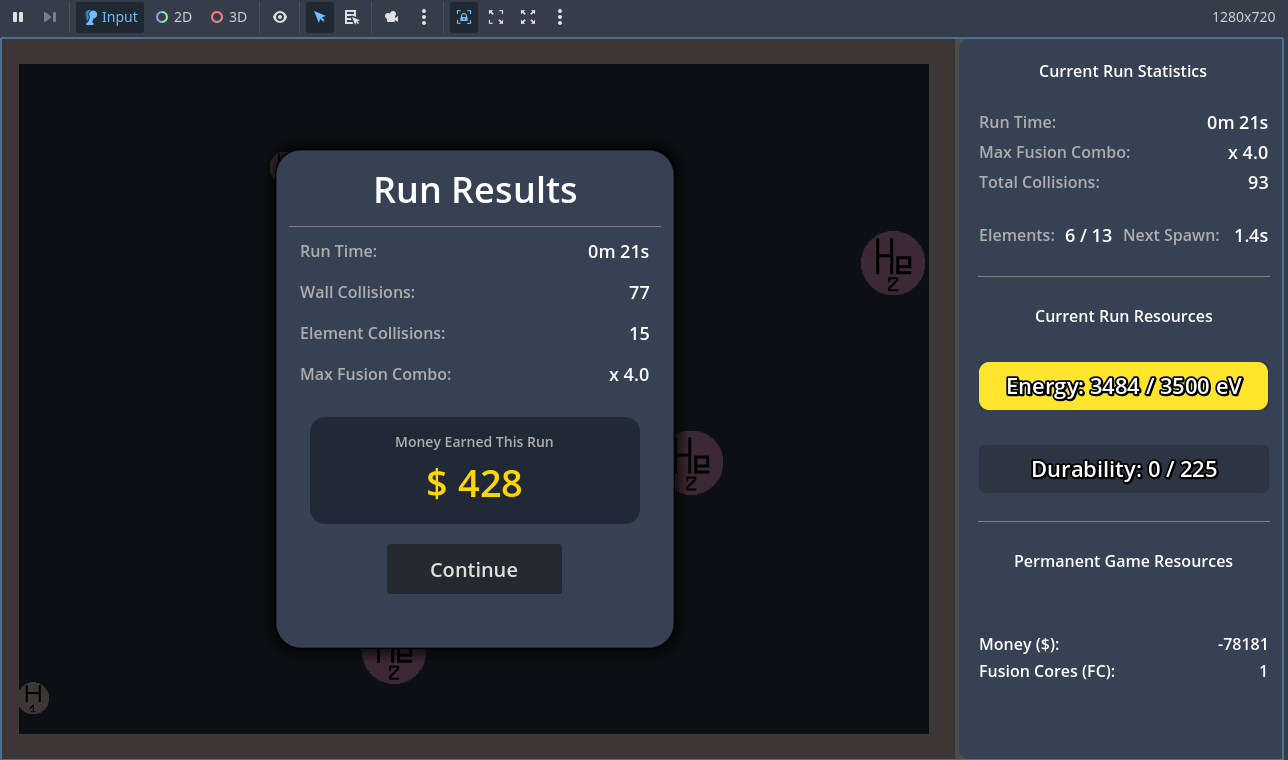
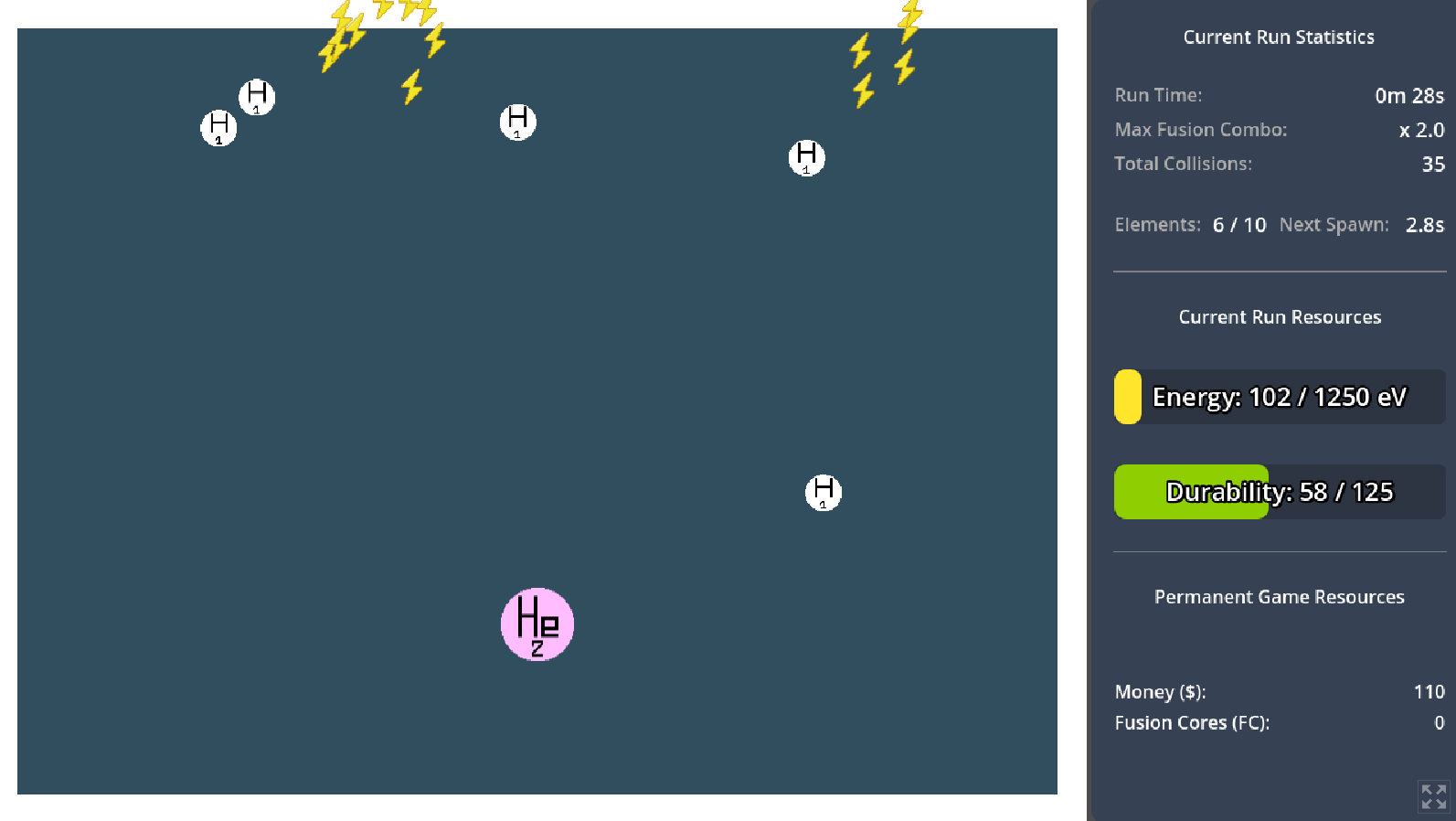
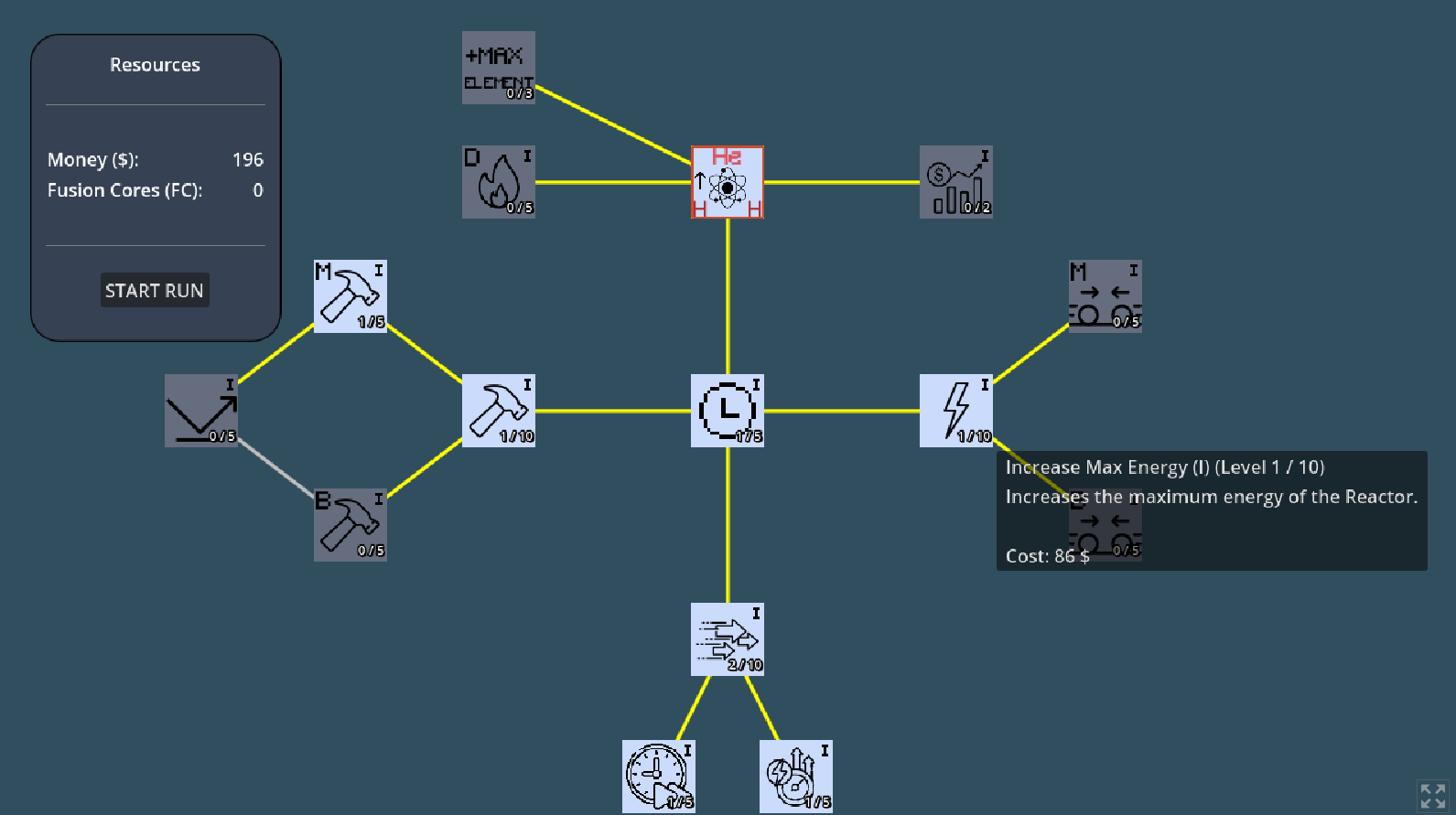
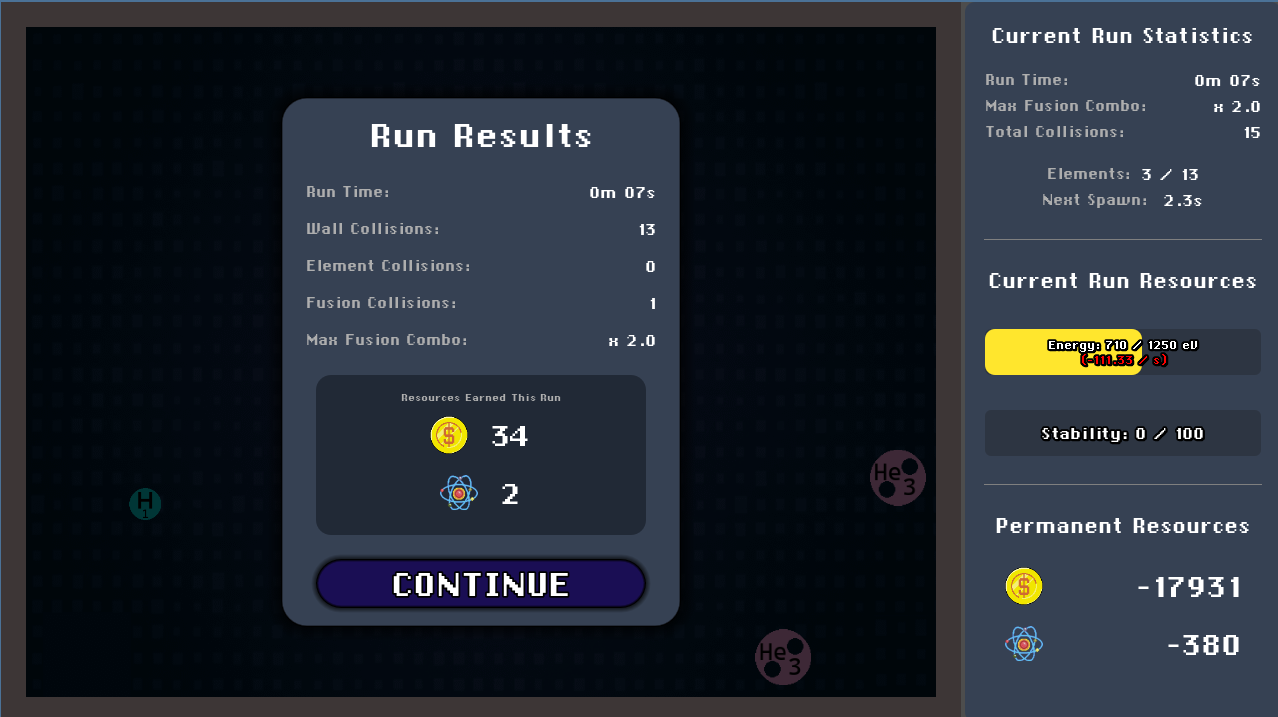
Let's start with the glow-up. Here’s a little before-and-after to feast your eyes on:
v0.3
v0.4
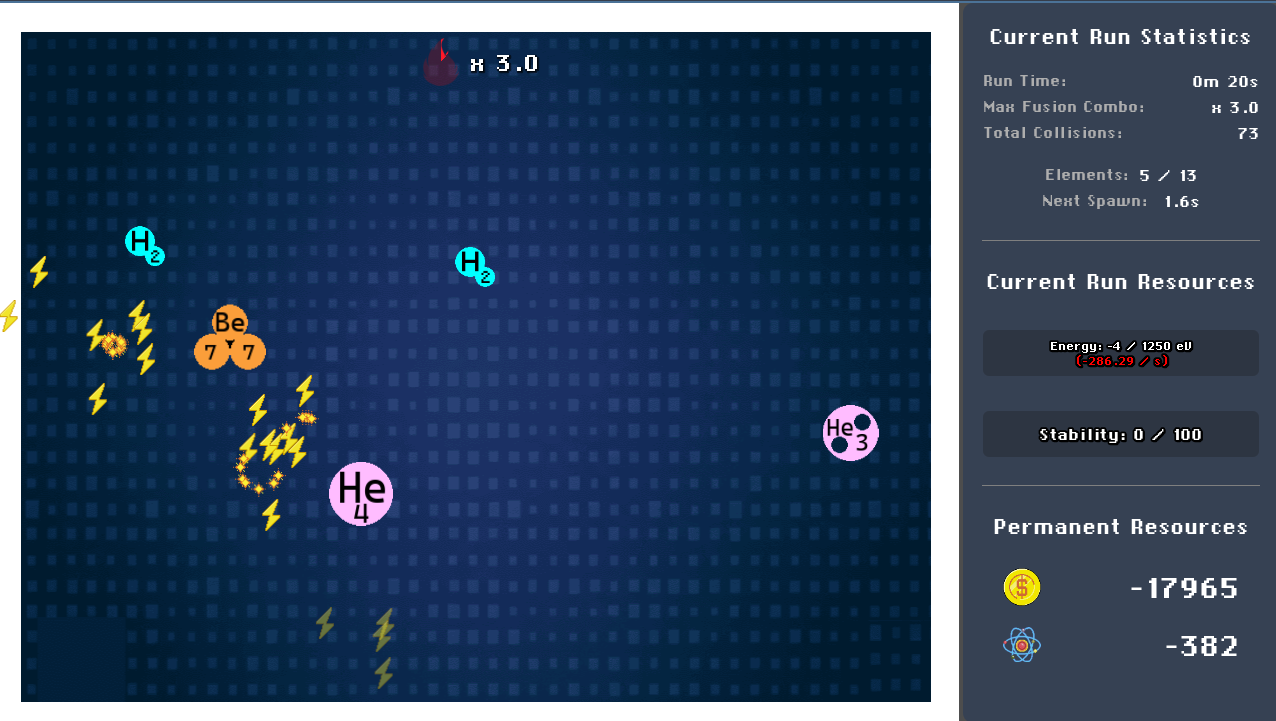
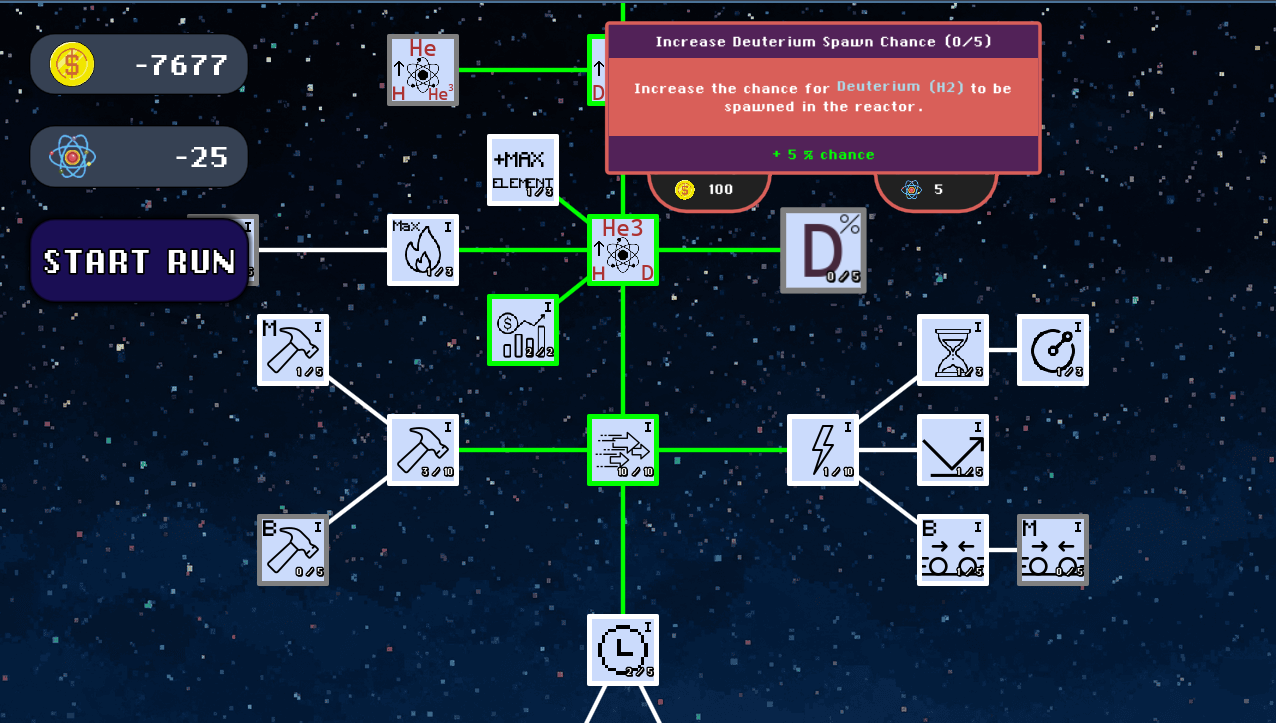
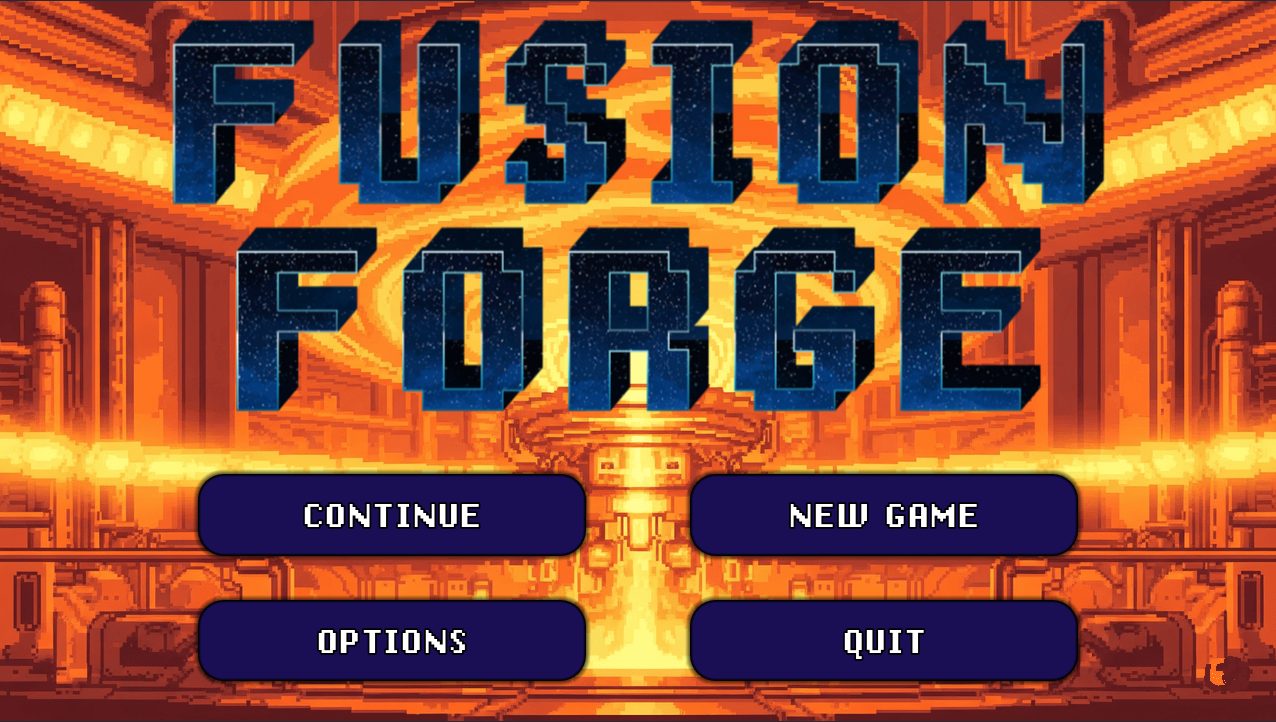
VFX & Animations: Shaders, Particles and how the simplest effect can be the biggest headache
A big goal for this past week was to inject some life into the game with animations and VFX. I wanted the UI to feel less like a static PowerPoint slide and more like a responsive, intuitive thing. Crucially, I needed those element collisions and fusions in the reactor to feel satisfying – think less 'polite handshake' and more 'cosmic high-five.'
To make this happen, I embarked on a speedrun of learning basically every way Godot lets you summon visual wizardry:
- Shaders: These little programs that run on your graphics card are responsible for the cool Fusion Shockwave effect and the slick Game State Transition. They let you mess with pixels to create fancy displacement effects or, theoretically, any animation your brain can conjure (and then painstakingly code). The math can get a bit… spicy.
- Particles: Those little sparks and trails when elements collide? That's Godot's particle system. You basically tell it to spawn a bunch of tiny things that follow a path, at a certain speed, for a certain time. Sounds simple, looks cool when it finally cooperates.
- Animations (Tweens): The entire Upgrade view now uses Godot’s internal "Tweens" for smooth transitions. That Upgrade tooltip doesn't just rudely pop into existence when you hover anymore; it glides in gracefully, thanks to these animation tweens. No more jump-scare UI elements!
Getting effects right is a journey. Shaders involve whispering sweet nothings to your GPU, particle effects need to look like they belong and aren't just a confetti cannon mishap, and animations require some actual foresight into how your scenes are layered. Yet, none of that, with its slightly mathematical comfort zone, prepared me for the real challenge: the stuff that required actual, bona fide artistic ability. Send help.
Sound: My Brief, Sweaty Foray into Music Production
For v0.4, the sound needed two things: background music that didn't make you want to mute the game after 30 seconds, and SFX for collisions and fusions that sounded less like kitchen utensils falling onto the floor.
Now, I'd say I'm probably more musically inclined than your average houseplant. But making even a humble 8 bars of music for my own game? That took nearly an entire day. I dusted off the MIDI controller my mom gifted me about a decade ago (thanks, Mom!), plugged in my keyboard, downloaded FL Studio (because that’s what the cool kids use, right?), and braced myself. After a day fueled by YouTube tutorials and the kind of intense concentration usually reserved for defusing bombs, I had done it: 8 bars of background music for FusionForge! My main goal was for it to be tolerable for at least 5 minutes. I think I nailed "tolerable."
As for the SFX... I heroically spent about three hours trying to create convincing collision and fusion sounds. Then I peeked at what online asset libraries offered, heard things that were approximately ten million times better than my attempts, and promptly said, "You know what? No shame in using the work of people far more skilled than I." So, I did. Sanity preserved.
Sprite Design: Discovering My Inner (Very Structured) Artist
Let's be honest, if there was an award for "Person Least Likely to Have an Artistic Bone," I’d be a strong contender. My last serious artistic endeavor was a two-month painting phase at the beginning of the pandemic, the results of which are best left unseen.
Despite this, I downloaded Aseprite (a pixel art sprite maker), watched a few more tutorials, and got to work. And a funny thing happened: I actually kind of… liked it? While it's undeniably hard, and my initial approach was mostly trying to replicate non-pixel art pictures with tiny squares, I found that a lot of it felt like arranging shapes and dealing with precise, almost mathematical placements. That, my brain can handle! It’s like art, but with a grid and rules. Perfect.
The biggest undertaking was definitely the start menu background. That masterpiece (and I use that term loosely) took me close to 6 hours. Pixel art, it turns out, is this weird, wonderful blend of creativity and structure, and I'm surprisingly okay with it.
Game Requirements: More Stuff to Fuse!
Beyond making things prettier and soundier, I also added more game to the game:
- New Elements: Say hello to Deuterium, Helium-3, Beryllium-7, and Beryllium-8! Each comes with its own custom-drawn sprite (thanks, Aseprite!), unique fusion recipes, and, uh, "designs."
- Upgrades Polished & Balanced: The Upgrade Tree got a good polish, and I spent a lot of time on balance, much like the last round. This involved solving some interesting little problems and squashing some wonderfully obscure bugs. I won’t bore you with the super technical details here, but I am compiling a list of the more bizarre bugs and clever solutions I’ve stumbled upon. Let me know if a deep-dive technical post sounds like your kind of Thursday night reading!
- New Fusion Recipes & Fusion Cores: More ways to combine things, and a brand new resource – Fusion Cores – which will be key to unlocking some powerful upgrades down the line.
- Active Gameplay Mechanic - On Hold (For Now): I initially planned to add another active gameplay feature, but decided to hold off. I didn't want to clutter the current game flow just yet and wanted to keep the core loop simple and satisfying for v0.4. It's on the list, though!
Non-Gaming Functionality
Beyond the flashy new effects and gameplay additions, v0.4 also needed some serious attention on the "how you actually interact with this thing with a minimum of fuss" front. An Options menu is necessary no matter how barebones just to be able to give the player the ability to mute my shitty OST.
More importantly, FusionForge now has a proper Start Menu to welcome you. This means you're no longer instantly thrust into the game's core mechanics the moment it loads – you actually get a moment to breathe and click "Start" like a civilized human being. I figured this was a polite addition. Upping the UI game here was essential for making the whole experience feel a bit more complete and, hopefully, more user-friendly.
And that’s the whirlwind tour of FusionForge v0.4! It’s been an intense week, but seeing it all come together (mostly) is incredibly rewarding.
Go give it a play, let me know what you think, and if you find any bugs that aren't already on my Kanban board of delightful horrors, do tell!
Until next time, wish me luck staying sane.
— Lio 💗